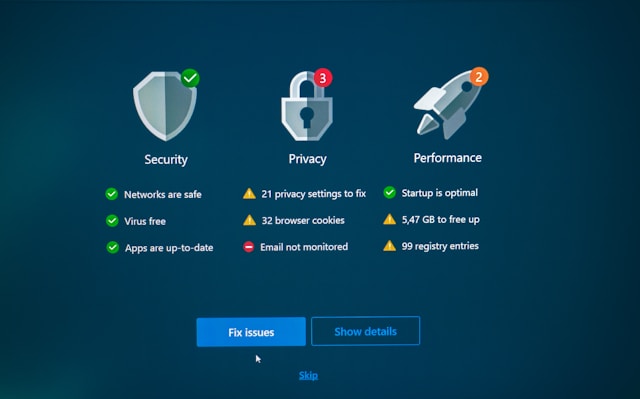
In today’s connected world, a reactive security stance is a recipe for disaster. The cornerstone of true digital safety lies in proactive prevention—a shield that stops malware before it can execute, encrypt, or steal. This guide will help you understand the critical features and modern tools that constitute robust antivirus programs that stop malware before it strikes, ensuring your data remains untouched and your devices run smoothly.
Key Takeaways
- Proactive Protection is Essential: Modern antivirus relies on behavior-based detection, real-time scanning, and AI to block unknown and zero-day threats before they can execute, moving far beyond simple signature matching.
- Top Programs Combine Strengths: Leaders like Bitdefender and Norton are consistently top-rated for their blend of perfect lab scores, minimal system impact, and comprehensive feature suites, including firewalls, ransomware shields, and secure browsers.
- Your Needs Dictate Your Choice: The “best” program depends on your specific situation: multi-device households, gaming PCs, and Mac users all have different optimal solutions that balance protection, performance, and price.
- Features Extend Beyond Virus Scanning: Effective digital security is multi-layered. Look for bundled tools like password managers, VPNs, dark web monitoring, and phishing protection to address the full spectrum of online threats.
- Independent Verification is Crucial: Always check reports from independent testing labs like AV-Test and AV-Comparatives for unbiased data on malware detection rates, system performance impact, and false positives.
Table of Contents
- Why Prevention Beats Cure: The Modern Threat Landscape
- How Modern Antivirus Software Stops Threats Proactively
- Top Antivirus Programs for 2026: A Comparative Analysis
- Key Features Checklist: What to Look For
- How-To Guide: Selecting and Implementing Your Antivirus
- Expert Tips for Enhanced Security
- FAQ: Your Antivirus Questions Answered
- Conclusion: Building Your Digital Fortress
Why Prevention Beats Cure: The Modern Threat Landscape
The digital threats we face today are far more sophisticated, stealthy, and damaging than the simple viruses of the past. Cybercriminals deploy a wide arsenal of malware, each with a specific malicious purpose.
Understanding these threats is the first step in appreciating the need for powerful, preventive security.
- Ransomware: This malware encrypts your files, holding them hostage until you pay a ransom. It’s one of the most financially damaging threats for both individuals and businesses.
- Spyware & Keyloggers: These programs lurk silently on your device, recording keystrokes, browsing habits, passwords, and banking details to steal your identity and finances.
- Trojans: Disguised as legitimate software, Trojans create backdoors in your system, allowing attackers to take control, steal data, or download more malware.
- Fileless Malware: This advanced threat operates in your device’s memory without installing files, making it extremely difficult for traditional scanners to detect.
- Phishing & Scams: While not malware themselves, these social engineering attacks are the primary delivery method for malware, tricking you into clicking malicious links or downloading infected attachments.
The cost of an infection is severe. Beyond ransom payments, you face potential identity theft, permanent data loss, crippled device performance, and hefty recovery fees. A preventive security solution acts as a gatekeeper, stopping these threats at the door before they can cause harm.
How Modern Antivirus Software Stops Threats Proactively
Gone are the days when antivirus software just compared files to a list of known bad programs. To combat modern, evolving threats, top-tier security suites use a multi-layered, intelligent approach to prevention.
| Detection Method | How It Works | Primary Strength |
|---|---|---|
| Real-Time Scanning | Continuously monitors all file activity, network traffic, and program behavior in the background. | Instantly blocks known threats as you download, open, or execute files. |
| Behavior-Based Detection | Analyzes the actions of programs (e.g., trying to encrypt many files, modifying system settings). | Catches brand-new (“zero-day”) and unknown malware based on suspicious behavior, not just a known signature. |
| AI & Machine Learning | Uses algorithms trained on millions of malware samples to identify malicious patterns and predict new threats. | Proactively identifies novel malware variants and sophisticated attacks. |
| Heuristic Analysis | Examines code for structures and instructions commonly found in malware. | Detects variants of known malware families and suspicious code that hasn’t been seen before. |
| Sandboxing | Runs suspicious programs in a completely isolated, virtual environment to observe their behavior safely. | Allows dangerous malware to execute harmlessly where it cannot touch your real system, confirming its threat before blocking it. |
This layered approach ensures that even if a threat slips past one line of defense, another is there to catch it, providing the robust protection needed in today’s environment.
Top Antivirus Programs for 2026: A Comparative Analysis
Based on comprehensive testing from independent labs and expert reviews, several programs consistently stand out for their preventive capabilities, performance, and value. The following table compares the top contenders.
| Program | Best For | Core Prevention Strength | System Performance Impact | Key Proactive Features | Notable Consideration |
|---|---|---|---|---|---|
| Bitdefender | Overall Best Protection | Excellent scores across all independent lab tests for malware detection and blocking. | Very Low; known for being lightweight and not slowing down PCs. | Advanced Threat Defense (behavioral), multilayer ransomware protection, secure browser for banking. | Premium plans protect up to 5 devices; identity theft protection is US-only. |
| Norton | Value & Feature-Rich Suite | Top-tier lab results, with excellent scores in hands-on exploit and malware blocking tests. | Low; uses minimal CPU resources during active scans. | SONAR behavioral protection, intelligent firewall, vulnerability scanner, cloud backup with encryption. | Can be more expensive upon renewal; some features vary by platform. |
| McAfee | Unlimited Device Households | Near-perfect lab scores and strong performance in hands-on testing. | Moderate; full system scans can be resource-intensive on older machines. | Real-time anti-malware, web protection, firewall, and strong identity monitoring features. | Privacy policy allows broad data sharing; integrated VPN can slow speeds. |
| Malwarebytes | On-Demand Malware Removal | Strong focus on detecting and quarantining active infections, including adware and PUPs. | Low for on-demand scans; real-time protection is effective. | Specialized anti-ransomware layer, Browser Guard extension blocks exploits & phishing. | Premium version needed for real-time protection; best used as a supplement to a primary antivirus. |
| ESET NOD32 | Tech-Savvy Users | Certified by multiple independent labs; strong heuristic and exploit-blocking capabilities. | Low to Moderate; highly configurable to balance protection and performance. | Host-based Intrusion Prevention System (HIPS), advanced device control, script-based attack protection. | Interface has a steeper learning curve; ransomware protection results were mixed in tests. |
Key Features Checklist: What to Look For
When evaluating a security suite, ensure it includes these essential proactive features:
✓ Real-Time Protection (Non-Negotiable): The software must continuously monitor for threats, not just during scheduled scans.
✓ Behavior-Based & AI Detection: Crucial for stopping new, unknown malware that doesn’t yet have a signature in a database.
✓ Ransomware Specific Protection: Look for features that protect specific document folders or detect mass file encryption attempts.
✓ Firewall: A robust firewall monitors and controls incoming and outgoing network traffic to block unauthorized access.
✓ Web Protection/Secure Browser: Blocks access to known phishing and malicious websites before you click, a major infection vector.
✓ Automatic Updates: The threat database and software itself must update automatically and frequently to defend against the latest exploits.
Advanced/Additional Features for Enhanced Safety:
- Password Manager: Creates and stores complex, unique passwords for all your accounts.
- Virtual Private Network (VPN): Encrypts your internet traffic, especially important on public Wi-Fi.
- Dark Web Monitoring: Alerts you if your personal information (emails, passwords) appears on dark web marketplaces.
- Parental Controls: Helps manage children’s screen time and block inappropriate content.
How-To Guide: Selecting and Implementing Your Antivirus
Follow these steps to choose, install, and maintain your first line of digital defense.
- Audit Your Needs: Count your devices (Windows, Mac, Android, iOS). Consider your main activities (gaming, banking, remote work). Decide which advanced features (like a VPN or parental controls) are important to you.
- Research & Compare: Use the comparison table in Section 3 as a starting point. Read independent lab reports from AV-Test and AV-Comparatives for unbiased performance data.
- Download from Official Sources: Always download security software directly from the publisher’s official website or a trusted app store to avoid fake, malware-laden installers.
- Uninstall Old Security Software: Before installing a new suite, completely remove any existing antivirus programs using the official removal tools to prevent conflicts.
- Run a Full Initial Scan: After installation, perform a complete system scan to establish a clean baseline and catch any pre-existing, dormant threats.
- Configure Real-Time Protection: Ensure real-time shields for files, network, and behavior are turned on and set to their recommended (usually maximum) security levels.
- Schedule Regular Scans: Set up a weekly quick scan and a monthly full system scan during a time when you’re not using the computer.
- Verify It’s Working: You can use the harmless EICAR test file (a standard antivirus test string) to confirm your real-time protection is active and alerts you.
Expert Tips for Enhanced Security
Even the best antivirus is part of a larger security strategy. Integrate these expert practices to build a formidable defense.
- Layer Your Defenses: Think of security as an onion. Your antivirus is one layer. Add a dedicated password manager (like Bitwarden or 1Password) and a high-quality standalone VPN (like ExpressVPN or NordVPN) for stronger privacy than most bundled tools offer.
- Update Religiously: Enable automatic updates for your operating system, web browsers, and all applications. Cybercriminals exploit known vulnerabilities in outdated software.
- Practice Smart Browsing & Email Habits: Be skeptical of unsolicited emails and links. Hover over links to see the real URL. Don’t download attachments from unknown senders.
- Use Strong, Unique Passwords & 2FA: A password manager is essential. Enable Two-Factor Authentication (2FA) on every account that offers it, especially email and banking.
- Maintain Offline Backups: The ultimate defense against ransomware is a recent, offline backup of your critical data. Use an external hard drive that you disconnect after backing up, or a reputable cloud backup service with versioning.
FAQ: Your Antivirus Questions Answered
Do I need to pay for antivirus software, or is the built-in Windows Defender enough?
For basic, cautious users, Windows Defender (Microsoft Defender) provides a solid foundation. However, for maximum preventive power, especially against zero-day threats, ransomware, and phishing, a third-party suite like Bitdefender or Norton offers more advanced behavioral analysis, a wider range of features (firewall, web protection), and consistently higher detection scores in independent tests.
What’s the difference between “antivirus” and “anti-malware”?
Historically, “antivirus” targeted traditional viruses, while “anti-malware” targeted broader malware types. Today, the terms are mostly used interchangeably by commercial vendors. A modern internet security suite includes protection against all forms of malware (viruses, ransomware, spyware, etc.). Some experts recommend using a primary antivirus suite with real-time protection and a secondary on-demand scanner like Malwarebytes for periodic deep checks.
Can antivirus software slow down my computer?
Yes, some impact is inevitable as the software works in the background. However, top-rated programs like Bitdefender and Norton are engineered for minimal performance impact. They are often lighter on system resources than the perceived “slowness” caused by a malware infection. Look for reviews that specifically test system performance during scans and everyday use.
How often should I run a virus scan?
With real-time protection enabled, you are protected continuously. It’s still wise to schedule a quick scan once a week and a full system scan once a month to catch anything that might have slipped through or is lying dormant.
I have a Mac. Do I really need antivirus software?
While macOS has historically faced fewer threats than Windows, it is not immune. Mac-specific malware, adware, and cross-platform threats (like phishing or documents with malicious macros) are real risks. Using a Mac antivirus adds an important layer of security, particularly for behavioral detection and web protection.
Conclusion: Building Your Digital Fortress
In the relentless battle against cyber threats, a passive defense is no longer sufficient. Protecting your digital life requires a proactive, layered strategy centered on robust antivirus programs that stop malware before it strikes. By choosing a solution that excels in real-time behavioral detection, maintaining it diligently, and complementing it with smart security habits, you transform your devices from vulnerable targets into resilient fortresses. Invest in your peace of mind today; the best defense is one that neutralizes threats before they ever have a chance to land.





Leave a Reply