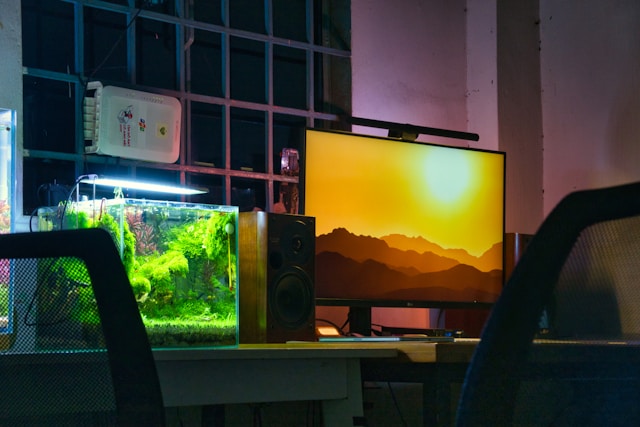
Finding a monitor that delivers professional color accuracy without draining your wallet feels impossible until now. While most budget gaming monitors sacrifice color precision for speed, a new generation of displays proves you don’t need to choose between affordability and accurate color reproduction for creative work.
Whether you’re a content creator editing YouTube videos, a photographer touching up client work, or a graphic designer needing reliable color representation, the right monitor transforms your workflow without requiring a second mortgage. This guide reveals budget-friendly gaming monitors that secretly excel at color-critical tasks, offering the color gamut coverage and calibration features professionals demand at prices gamers appreciate.
Summary of Top Budget Gaming Monitors for Color Work
Under $300:
- ASUS TUF Gaming VG27AQL1A
- AOC Q27G3XMN
- Dell S2722DC
$300-$500:
- BenQ MOBIUZ EX270QM
- LG 27GP850-B
- ASUS ProArt PA278CV
$500-$700:
- Gigabyte M27Q X
- MSI MAG 274UPF
ASUS TUF Gaming VG27AQL1A
This 27-inch powerhouse delivers surprising color accuracy for its gaming-focused branding, covering 130% of the sRGB color space and 95% DCI-P3 numbers that compete with monitors costing twice as much.
Key Features
Resolution: 2560 x 1440 (QHD) The sweet spot for both gaming and content creation, offering 77% more pixels than 1080p without the GPU demands of 4K.
Color Accuracy: Factory calibrated to Delta E < 2 Out-of-box color accuracy rivals professional displays, with pre-calibrated sRGB mode that locks the color gamut for accurate web content preview.
Brightness: 350 cd/m² (typical), 400 cd/m² (peak) Sufficient for most indoor environments, though HDR performance remains limited for serious grading work.
Contrast Ratio: 1000:1 (native IPS) Standard for IPS panels, delivering better color accuracy than VA panels while sacrificing some depth in blacks.
Response Time: 1ms MPRT Gaming credentials remain strong with virtually zero motion blur, beneficial when scrubbing through video timelines.
Connectivity: DisplayPort 1.4, HDMI 2.0 x2, USB hub Dual HDMI inputs let you connect both your gaming PC and work laptop simultaneously.
Pros & Cons
Strengths: Exceptional color gamut for the price, factory calibration, versatile connectivity, height-adjustable stand
Limitations: Limited HDR capability (HDR400), 165Hz refresh may introduce slight color shifting at different frame rates
AOC Q27G3XMN
AOC’s budget contender surprises with 99% sRGB coverage and hardware calibration support features typically reserved for monitors three times its price point.
Key Features
Resolution: 2560 x 1440 (QHD) Sharp enough for detailed photo editing while maintaining gaming performance across a wider range of graphics cards.
Color Accuracy: 99% sRGB, Delta E < 2 (after calibration) Ships with decent out-of-box accuracy, but truly shines when calibrated with an i1Display Pro or similar colorimeter.
Brightness: 250 cd/m² (typical) Lower than competitors, but adequate for controlled lighting environments where most color-critical work happens.
Aspect Ratio: 16:9 Standard ratio maximizes compatibility with both gaming and professional applications without black bars.
Contrast Ratio: 3000:1 (VA panel) Superior contrast compared to IPS alternatives creates deeper blacks beneficial for dark scene editing.
Response Time: 1ms MPRT Fast pixel response keeps motion clear during gaming sessions without ghosting.
Connectivity: DisplayPort 1.4, HDMI 2.0 x2 Standard professional connectivity, though lacks USB-C for single-cable laptop workflows.
Pros & Cons
Strengths: Hardware calibration support, excellent contrast ratio, affordable price, good sRGB coverage
Limitations: Lower brightness ceiling, VA panel viewing angles less forgiving than IPS, occasional color banding in gradients
Dell S2722DC
Dell’s hybrid approach targets work-from-home professionals who game, delivering 99% sRGB coverage with elegant design and USB-C connectivity that simplifies desk setups.
Key Features
Resolution: 2560 x 1440 (QHD) Ideal pixel density for 27-inch displays, rendering text sharply for design work and UI elements clearly in games.
Color Accuracy: 99% sRGB, factory calibrated Dell’s professional heritage shows in consistent color reproduction across units, minimizing the calibration lottery.
Brightness: 350 cd/m² Bright enough for well-lit offices without overwhelming in dim editing suites.
Aspect Ratio: 16:9 Maximizes application compatibility while providing ample horizontal space for timeline editing.
Contrast Ratio: 1000:1 (IPS) Standard IPS contrast prioritizes color accuracy and viewing angles over deep blacks.
Response Time: 4ms (gray-to-gray) Slower than pure gaming monitors but imperceptible for content creation; minimal ghosting in fast-paced games.
Connectivity: USB-C (65W power delivery), HDMI 2.0, DisplayPort 1.4 Single USB-C cable connects MacBooks and ultrabooks while charging them genuine desk clutter reduction.
Pros & Cons
Strengths: USB-C with power delivery, elegant design, consistent quality control, built-in speakers
Limitations: 60Hz refresh rate (gaming limitation), no HDR support, slightly slower response time
BenQ MOBIUZ EX270QM
BenQ bridges gaming and creative markets with 98% DCI-P3 coverage the color space used in film production alongside 240Hz gaming capabilities.
Key Features
Resolution: 2560 x 1440 (QHD) High pixel density maintains image sharpness for both competitive gaming and detailed creative work.
Color Accuracy: 98% DCI-P3, 99% sRGB Dual color space coverage lets you preview content in both web-standard sRGB and cinema-standard DCI-P3.
Brightness: 400 cd/m² (SDR), 600 cd/m² (HDR peak) True HDR600 certification delivers meaningful brightness range for HDR content preview, rare in this price bracket.
Aspect Ratio: 16:9 Standard format ensures universal compatibility across gaming titles and creative applications.
Contrast Ratio: 1000:1 (IPS) Typical IPS performance prioritizes color accuracy over contrast depth.
Response Time: 1ms (MPRT) Blazing fast pixel transitions eliminate motion blur in fast-paced gaming and smooth video scrubbing.
Connectivity: HDMI 2.1 x2, DisplayPort 1.4, USB-C (15W) HDMI 2.1 enables 4K 120Hz from PlayStation 5 and Xbox Series X; USB-C adds convenience despite limited power delivery.
Pros & Cons
Strengths: Excellent DCI-P3 coverage, true HDR600, HDMI 2.1 for console gaming, multiple color modes
Limitations: USB-C power delivery insufficient for laptops, premium price approaching professional monitors
LG 27GP850-B
LG’s Nano IPS technology extends color gamut to 98% DCI-P3 while maintaining the 1ms response times gamers demand, creating a genuine dual-purpose display.
Key Features
Resolution: 2560 x 1440 (QHD) Goldilocks resolution balances pixel density for detailed creative work with GPU headroom for high-refresh gaming.
Color Accuracy: 98% DCI-P3, factory calibrated LG’s calibration process delivers Delta E < 2 out of the box, eliminating immediate calibration needs for most users.
Brightness: 400 cd/m² (typical), 600 cd/m² (HDR peak) VESA DisplayHDR 400 certification provides basic HDR preview capability for content creators.
Aspect Ratio: 16:9 Universal aspect ratio maximizes software compatibility and screen real estate utilization.
Contrast Ratio: 1000:1 (Nano IPS) Standard IPS contrast, though Nano IPS coating slightly reduces perceived black levels in dark environments.
Response Time: 1ms (GtG) Genuine 1ms gray-to-gray response enables both competitive gaming and smooth video timeline scrubbing.
Connectivity: DisplayPort 1.4, HDMI 2.0 x2, USB hub (upstream + 2 downstream) Solid connectivity suite, though lacks USB-C that increasingly defines modern professional monitors.
Pros & Cons
Strengths: Exceptional color gamut, true 1ms response, 165Hz refresh rate, factory calibration
Limitations: No USB-C connectivity, mediocre HDR implementation, Nano IPS coating creates slight graininess
ASUS ProArt PA278CV
ASUS explicitly targets creative professionals with this display, offering hardware calibration support and 100% sRGB + 100% Rec. 709 coverage at gaming-monitor prices.
Key Features
Resolution: 2560 x 1440 (QHD) Professional pixel density for design work with sufficient headroom for casual gaming.
Color Accuracy: 100% sRGB, 100% Rec. 709, Delta E < 2 Pre-calibrated for video production standard (Rec. 709) straight from the factory rare in budget displays.
Brightness: 350 cd/m² Balanced brightness suits typical office environments without excessive eye strain during long editing sessions.
Aspect Ratio: 16:9 Standard ratio provides familiar workspace layout for Adobe Creative Suite and video editing applications.
Contrast Ratio: 1000:1 (IPS) Professional IPS panel prioritizes color consistency and viewing angles over contrast depth.
Response Time: 5ms (GtG) Slower than gaming-focused competitors but completely adequate for creative work; handles casual gaming without issues.
Connectivity: DisplayPort 1.2, HDMI 1.4, USB-C (65W power delivery) USB-C with substantial power delivery handles most laptops with single-cable convenience.
Additional: Hardware calibration compatible (ProArt Calibration Technology) Supports professional colorimeters for LUT-based calibration stored in monitor hardware rather than GPU.
Pros & Cons
Strengths: Hardware calibration support, USB-C with 65W PD, factory Rec. 709 calibration, professional build quality
Limitations: 75Hz refresh ceiling, older HDMI/DP versions, premium pricing for budget category
Gigabyte M27Q X
Gigabyte’s KVM switch functionality and 240Hz refresh rate create a unique proposition for creators who game seriously, with 92% DCI-P3 coverage supporting color work.
Key Features
Resolution: 2560 x 1440 (QHD) High-density panel renders sharp text for design applications and crisp visuals for competitive gaming.
Color Accuracy: 92% DCI-P3, 120% sRGB Wide color gamut captures vibrant colors, though slight oversaturation in sRGB mode requires careful calibration for web content.
Brightness: 400 cd/m² Bright enough for well-lit environments while maintaining color accuracy across the brightness range.
Aspect Ratio: 16:9 Standard format balances gaming immersion with practical workspace dimensions.
Contrast Ratio: 1000:1 (IPS) Typical IPS panel performance favors color accuracy over deep blacks.
Response Time: 1ms (MPRT) Ultra-fast response eliminates motion blur during gaming without introducing reverse ghosting in creative applications.
Connectivity: DisplayPort 1.4, HDMI 2.0 x2, USB-C (15W), KVM switch Built-in KVM lets you control two computers with one keyboard/mouse set genuine productivity booster for multi-system workflows.
Pros & Cons
Strengths: Built-in KVM switch, 240Hz refresh rate, wide color gamut, excellent gaming performance
Limitations: USB-C power delivery too low for laptops, slight sRGB oversaturation requires calibration, premium pricing
MSI MAG 274UPF
MSI enters 4K territory at budget prices with 96% DCI-P3 coverage, creating a compelling option for creators needing maximum resolution without sacrificing color quality.
Key Features
Resolution: 3840 x 2160 (4K UHD) Full 4K resolution provides exceptional detail for photo editing, 4K video timeline work, and modern gaming with capable GPUs.
Color Accuracy: 96% DCI-P3, 144% sRGB Wide gamut coverage enables cinema-standard color preview, though sRGB emulation mode requires calibration to prevent oversaturation.
Brightness: 400 cd/m² (typical) Adequate brightness maintains color accuracy across the range without excessive eye strain.
Aspect Ratio: 16:9 Standard ratio maximizes compatibility while providing ample screen real estate at 4K resolution.
Contrast Ratio: 1000:1 (IPS) Standard IPS contrast ratio prioritizes viewing angles and color consistency.
Response Time: 1ms (GtG claimed) Fast pixel response handles both gaming and video editing smoothly, though true 1ms performance requires overdrive settings that introduce artifacts.
Connectivity: DisplayPort 1.4, HDMI 2.1 x2, USB-C (15W) HDMI 2.1 enables full 4K 144Hz gaming from latest consoles and GPUs.
Pros & Cons
Strengths: True 4K resolution, excellent DCI-P3 coverage, HDMI 2.1 support, competitive pricing for 4K
Limitations: USB-C underpowered for laptops, requires powerful GPU for gaming, no hardware calibration support
How to Choose the Best Budget Monitor for Color Work and Gaming
Prioritize Color Gamut Over Refresh Rate
For color-critical work, 99% sRGB coverage matters more than 240Hz refresh. Most creative applications display motion at 24-60fps, making high refresh rates irrelevant for editing. Prioritize monitors covering at least 99% sRGB for web content or 90%+ DCI-P3 for video production. Gaming performance remains excellent at 144Hz the difference to 240Hz benefits only professional esports players.
Resolution Sweet Spots by Use Case
1440p (QHD): Ideal balance for most creators. Provides 77% more pixels than 1080p for detailed work while maintaining gaming performance across mid-range GPUs. Text renders sharply, timelines display more tracks, and GPU headroom remains for high refresh rates.
4K (UHD): Choose this for photography work, 4K video editing, or when display real estate matters more than gaming performance. Requires high-end GPU for gaming but provides unmatched detail for creative work.
Panel Technology Matters
IPS panels: Best for color-critical work. Offer superior color accuracy, wider viewing angles, and consistent color reproduction across the screen. Accept lower contrast ratios (1000:1 typical) as the tradeoff for color precision.
VA panels: Deliver superior contrast (3000:1+) beneficial for dark scene editing and HDR content. However, viewing angle limitations and potential color shifting make them less ideal for professional color work requiring precision.
Calibration Capabilities Transform Budget Monitors
Hardware calibration support elevates budget displays to professional territory. Monitors like the ASUS ProArt PA278CV store calibration data in the display’s lookup table (LUT) rather than your GPU, ensuring color accuracy across all connected devices. Budget colorimeters (X-Rite i1Display Pro, Datacolor SpyderX) cost $150-300 but deliver measurable improvements in color accuracy.
Connectivity Determines Workflow Efficiency
USB-C with power delivery (45W minimum, 65W ideal) enables single-cable laptop connections that simultaneously charge your device, transmit video, and provide USB hub functionality. This feature transforms desk setups for creators working across multiple devices. Traditional DisplayPort remains essential for desktop gaming PCs to access maximum refresh rates and resolution combinations.
HDR: Skip It at Budget Prices
Most budget “HDR” implementations (HDR400) provide minimal benefit for color grading work. True HDR workflows require HDR600 certification minimum, preferably HDR1000, with local dimming zones budget monitors lack. Save HDR investment for dedicated professional displays or high-end gaming monitors exceeding $700.
Frequently Asked Questions
Can gaming monitors really handle professional color work?
Modern gaming monitors increasingly target dual-use scenarios, incorporating color accuracy features previously exclusive to professional displays. Monitors covering 99% sRGB or 90%+ DCI-P3, factory calibrated to Delta E < 2, deliver suitable accuracy for professional photography, video editing, and graphic design. The key difference from dedicated professional monitors lies in HDR implementation, uniformity guarantees, and hardware calibration support rather than fundamental color accuracy. For web content and standard dynamic range work, premium gaming monitors match or exceed budget professional displays while adding gaming capabilities.
What’s the minimum color gamut coverage needed for color grading?
For web content creation (YouTube, social media, photography), 95% sRGB minimum ensures accurate color representation. Video editors working with cinema content need 90% DCI-P3 coverage minimum to preview the wider color space used in film production. Photographers printing work require 90%+ Adobe RGB coverage, though this remains rare in gaming monitors. Most budget gaming monitors optimize for sRGB and DCI-P3, making them suitable for video and web work but limiting for professional print photography.
Should I calibrate a pre-calibrated monitor?
Yes, even factory-calibrated monitors benefit from personalized calibration. Manufacturing variations, shipping conditions, and panel aging affect color accuracy. Factory calibration provides excellent starting accuracy (typically Delta E < 2), but room lighting, ambient temperature, and personal workflow requirements make custom calibration valuable. Budget colorimeters ($150-300) deliver measurable improvements in color consistency, especially when matching multiple monitors or collaborating with clients who expect precise color reproduction.
Does higher refresh rate affect color accuracy?
Refresh rate itself doesn’t impact static color accuracy, but some monitors exhibit slight color temperature shifts between different refresh rate modes (60Hz vs 144Hz vs 240Hz). This occurs due to panel overdrive settings optimizing pixel response times. For color-critical work, calibrate at your preferred refresh rate and maintain that setting when editing. The color shift remains imperceptible in most cases, but perfectionists should verify consistency with a colorimeter when changing refresh rates.
How much brightness do I need for color grading?
250-350 cd/m² handles most color grading work in controlled lighting environments (the professional standard). Higher brightness (400+ cd/m²) helps in bright offices but matters less than consistent brightness across the display surface. For HDR content creation, peak brightness becomes critical 600 cd/m² minimum (HDR600) for meaningful HDR preview, though true HDR grading requires 1000+ cd/m² (HDR1000). Most budget monitors optimize for SDR work where 300 cd/m² provides excellent results.
Conclusion: Best Picks by Use Case
Best Overall Value: ASUS TUF Gaming VG27AQL1A delivers exceptional color accuracy (95% DCI-P3), factory calibration, and versatile connectivity under $300. The combination of professional color performance and 165Hz gaming capability makes it unbeatable for dual-purpose use.
Best for Video Editors: BenQ MOBIUZ EX270QM provides 98% DCI-P3 coverage with true HDR600 support, enabling cinema-standard color preview at reasonable prices. HDMI 2.1 connectivity future-proofs the investment for 4K workflows.
Best Professional Features: ASUS ProArt PA278CV offers hardware calibration support, factory Rec. 709 calibration, and USB-C power delivery professional features at gaming-monitor pricing. Choose this when calibration accuracy matters more than gaming performance.
Best 4K Option: MSI MAG 274UPF brings 4K resolution and 96% DCI-P3 coverage under $600, providing maximum detail for photo editing and 4K video work while maintaining gaming capability with modern GPUs.
The budget gaming monitor market has evolved beyond the traditional tradeoff between color accuracy and gaming performance. Today’s displays deliver professional-grade color reproduction at prices once reserved for basic gaming panels. Whether you’re editing client videos, retouching photos, or designing graphics, these monitors prove you don’t need to sacrifice color accuracy for affordability or gaming performance for precision.




Leave a Reply