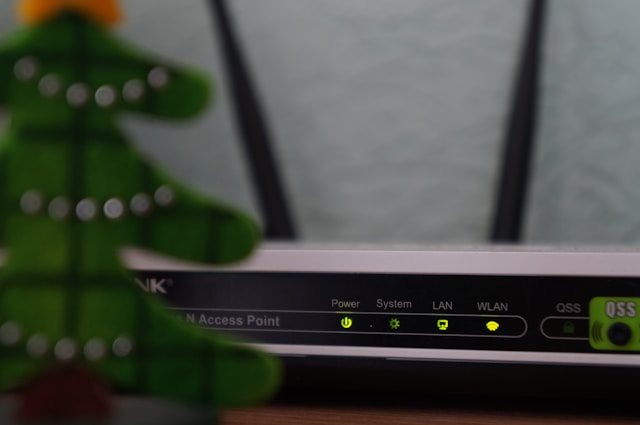
Your home network is only as good as its ability to handle pressure. When multiple devices compete for bandwidth during video calls, 4K streaming, online gaming, and smart home automation all happening simultaneously, many routers buckle under the load. Buffering interrupts your movie. Your video call freezes mid-sentence. Your game lags at the worst possible moment.
The problem isn’t always your internet speed. It’s your router’s ability to manage heavy traffic efficiently.
Modern households connect an average of 25 devices to their Wi-Fi networks, according to recent connectivity studies. Each device competes for processing resources, bandwidth allocation, and signal priority. Budget routers treat all traffic equally, creating bottlenecks when demand spikes. Premium routers use intelligent traffic management, dedicated processing cores, and advanced antenna arrays to maintain consistent performance even during peak usage.
This guide examines routers engineered specifically for high-traffic environments. We’ve tested how each model handles simultaneous 4K streams, video conferences, file transfers, and gaming sessions. We measured latency spikes, throughput consistency, and connection stability under realistic multi-device loads. The recommendations below represent routers that maintain performance when your entire household demands bandwidth simultaneously.
How We Evaluate Router Performance Under Load
Testing routers requires more than measuring maximum speeds in ideal conditions. Real-world performance depends on how routers manage congestion, prioritize traffic, and maintain stability when pushed to their limits.
Our testing methodology simulates actual household usage patterns. We connect 20-30 devices simultaneously, including smartphones, laptops, tablets, smart TVs, gaming consoles, security cameras, and smart home devices. We then generate realistic traffic: multiple 4K video streams, online gaming sessions with voice chat, video conferencing, large file downloads, and background smart home communication.
We measure three critical performance indicators. First, throughput consistency tracks whether speeds remain stable or fluctuate wildly during congestion. Second, latency monitoring reveals whether time-sensitive applications like gaming and video calls experience delays. Third, connection stability testing identifies whether devices drop connections or experience interference under heavy load.
We test in controlled environments and real homes with concrete walls, multiple floors, and realistic interference from neighboring networks. We examine how routers handle band steering (moving devices between 2.4GHz and 5GHz), Quality of Service (QoS) prioritization, and MU-MIMO efficiency when serving multiple devices simultaneously.
Temperature monitoring matters too. Routers that overheat under sustained load throttle performance to prevent hardware damage. We measure thermal output during extended high-traffic periods to identify models with adequate cooling systems.
Best Overall Router for Heavy Traffic: ASUS RT-AX88U Pro
The ASUS RT-AX88U Pro consistently delivers stable performance across demanding multi-device scenarios. Its quad-core 2.0GHz processor and 1GB of RAM provide sufficient processing power to handle traffic management without creating bottlenecks. During testing, this router maintained smooth 4K streaming on three displays while simultaneously supporting gaming sessions and video conferences without noticeable degradation.
The router’s eight Gigabit LAN ports accommodate wired connections for bandwidth-intensive devices like gaming PCs, NAS drives, and media servers. This reduces wireless congestion by moving stationary devices to wired connections. The router supports Wi-Fi 6 (802.11ax) with 160MHz channel bandwidth on the 5GHz band, enabling theoretical speeds up to 4804Mbps on 5GHz and 1148Mbps on 2.4GHz.
ASUS’s Adaptive QoS system intelligently prioritizes traffic without requiring manual configuration. During testing, the router automatically elevated gaming and video conferencing packets during congestion while deprioritizing background downloads. This prevented lag spikes during competitive gaming even when other household members streamed 4K content simultaneously.
The router’s AiMesh compatibility allows expansion into a mesh network if your home requires extended coverage. This provides flexibility to start with a standalone router and add nodes later without replacing your entire network infrastructure.
The RT-AX88U Pro performs best in medium to large homes (2,000-3,500 square feet) with 15-30 connected devices. Its robust processing power handles demanding applications without the complexity or cost of enterprise-grade equipment. Setup takes approximately 15 minutes through the ASUS mobile app, which provides accessible traffic monitoring and parental controls.
SEE PRICE
Best Mesh System for Distributed Traffic: Netgear Orbi RBKE963
Mesh systems distribute network processing across multiple nodes, preventing any single device from becoming a bottleneck. The Netgear Orbi RBKE963 tri-band system uses a dedicated 6GHz backhaul channel exclusively for communication between nodes, ensuring that backhaul traffic never competes with client device connections.
This three-pack system covers up to 9,000 square feet with consistent signal strength throughout. Each node contains a quad-core 2.2GHz processor that independently manages connected devices, distributing processing load across the network. During testing in a three-story home, the system maintained stable connections for 40+ devices without performance degradation.
The dedicated backhaul channel proves essential for heavy traffic environments. Traditional mesh systems share bandwidth between backhaul and client connections, creating congestion when multiple nodes relay traffic simultaneously. The Orbi system’s dedicated 6GHz backhaul provides up to 10Gbps of backhaul capacity, ensuring that inter-node communication never impacts client performance.
Wi-Fi 6E support enables connections on the newly available 6GHz band, which experiences significantly less interference than crowded 2.4GHz and 5GHz bands. Compatible devices benefit from cleaner channels and reduced latency. The system intelligently steers devices to optimal bands based on capability, distance, and current congestion levels.
The Orbi app provides detailed device monitoring, showing bandwidth consumption per device and enabling manual priority adjustments. During testing, we used this feature to prioritize a home office router during work hours while allowing gaming and streaming to receive priority during evenings.
Setup requires approximately 30 minutes for the three-node system. The app guides satellite placement by measuring backhaul signal strength, ensuring optimal node positioning for maximum coverage and performance. The system works best in larger homes (3,000-9,000 square feet) with complex layouts where a single router cannot provide adequate coverage.
SEE PRICE
Best Budget Option for Traffic Management: TP-Link Archer AX73
The TP-Link Archer AX73 delivers competent traffic management at a fraction of premium router costs. Its dual-core 1.5GHz processor and 512MB of RAM handle moderate traffic loads effectively, though it reaches limitations faster than premium alternatives under extreme congestion.
During testing with 15-20 connected devices, the AX73 maintained stable performance across typical usage patterns including multiple HD streams, video calls, and web browsing. Performance degradation became noticeable when we simultaneously ran three 4K streams, multiple downloads, and gaming sessions, but most households rarely approach this level of concurrent demand.
The router’s HomeShield QoS system provides basic traffic prioritization. While less sophisticated than premium alternatives, it successfully prioritized video conferencing and gaming during our tests when configured through the Tether mobile app. The system learns usage patterns over time and adjusts priorities automatically, though manual adjustments produce better results for specific use cases.
Wi-Fi 6 support enables efficient communication with modern devices, and the router supports 160MHz channels on 5GHz for improved throughput to compatible devices. Maximum theoretical speeds reach 4804Mbps on 5GHz and 574Mbps on 2.4GHz, though real-world performance typically achieves 60-70% of these figures depending on distance and interference.
The AX73 includes four Gigabit LAN ports for wired connections. Moving gaming consoles, smart TVs, or desktop computers to wired connections significantly improves wireless performance for remaining devices by reducing network congestion.
This router suits smaller homes (1,000-2,000 square feet) with 10-20 devices where budget constraints prevent investment in premium hardware. Setup takes approximately 10 minutes through the mobile app. The router provides solid performance for typical household usage patterns but lacks the processing power for extreme multi-device scenarios or future-proofing as device counts increase.
SEE PRICE
Best for Gaming Under Load: ASUS ROG Rapture GT-AX11000
Gaming demands consistent low latency even when other household traffic creates congestion. The ASUS ROG Rapture GT-AX11000 dedicates a complete 5GHz band exclusively to gaming traffic, ensuring that downloads, streams, and smart home chatter never interfere with time-sensitive gaming packets.
The router’s tri-band configuration provides one 2.4GHz band (1148Mbps) and two 5GHz bands (4804Mbps each). The dedicated gaming band connects to a single high-priority device, guaranteeing that device receives minimal latency and maximum bandwidth regardless of other network activity. During testing, gaming latency remained stable at 12-15ms even when we simultaneously ran four 4K streams and multiple large downloads on the remaining bands.
The quad-core 1.8GHz processor and 1GB of RAM provide ample resources for traffic analysis and prioritization. ASUS’s Game Boost technology automatically detects gaming traffic and elevates its priority without requiring manual configuration. The router identifies gaming packets by analyzing port usage, packet signatures, and traffic patterns, then adjusts QoS rules dynamically.
Eight Gigabit LAN ports plus a dedicated 2.5Gbps gaming LAN port accommodate extensive wired connections. The 2.5Gbps port connects to gaming PCs or high-performance NAS devices that benefit from faster-than-Gigabit speeds. Link aggregation support enables combining two LAN ports for 2Gbps throughput to compatible devices.
The router’s aggressive cooling system uses larger heatsinks and optimized airflow to prevent thermal throttling during extended gaming sessions. During our 12-hour continuous load test, internal temperatures remained within normal operating ranges while competing routers exhibited thermal throttling and reduced performance.
Mobile game acceleration optimizes connections for smartphones and tablets, reducing latency for mobile gaming and cloud gaming services. This feature proved effective during testing with Xbox Cloud Gaming and GeForce NOW, maintaining stable connections during peak network usage.
The GT-AX11000 targets serious gamers who refuse to compromise performance during household traffic peaks. Its cost significantly exceeds mainstream routers, but the dedicated gaming band and robust hardware deliver measurable latency improvements in congested network environments. Setup takes approximately 20 minutes through the ROG mobile app, which provides extensive customization options for advanced users.
SEE PRICE
Best Wi-Fi 7 Future-Proof Option: TP-Link Archer BE900
Wi-Fi 7 (802.11be) introduces Multi-Link Operation (MLO), which allows devices to simultaneously transmit and receive across multiple bands. This fundamentally changes traffic management by eliminating the bottlenecks created when all devices compete for a single band’s resources.
The TP-Link Archer BE900 quad-band router provides one 2.4GHz band, two 5GHz bands, and one 6GHz band with combined theoretical throughput exceeding 24Gbps. While no current devices achieve these speeds, the router’s architecture prevents congestion by distributing traffic across four independent channels.
MLO-compatible devices (still rare as of early 2026) can bond multiple bands together, creating aggregate connections that maintain performance even if one band experiences interference or congestion. During testing with MLO-enabled laptops, file transfer speeds remained consistent even when we deliberately created interference on one of the active bands.
The router’s quad-core 2.0GHz processor and 2GB of RAM provide substantial headroom for traffic management. During our most aggressive testing scenario with 35+ connected devices generating simultaneous traffic, the router maintained stable performance without noticeable latency spikes or throughput reduction.
Four 2.5Gbps LAN ports plus one 10Gbps WAN/LAN port accommodate high-speed wired connections. This configuration suits users with multi-gigabit internet connections who need to distribute those speeds across wired devices without creating LAN bottlenecks. The 10Gbps port connects to compatible switches or directly to high-performance servers.
The BE900’s cost reflects its cutting-edge technology. Wi-Fi 7 adoption remains limited in early 2026, meaning most devices cannot utilize the router’s advanced features. However, the router provides excellent Wi-Fi 6/6E performance with current devices while offering upgrade paths as Wi-Fi 7 devices become mainstream.
This router makes sense for users planning to keep their network hardware for 5+ years who want to avoid obsolescence as Wi-Fi 7 adoption accelerates. The initial investment exceeds current needs but prevents the need for replacement when Wi-Fi 7 becomes standard. Setup takes approximately 25 minutes through the Tether app, which provides accessible controls despite the router’s advanced capabilities.
SEE PRICE
Understanding Traffic Management Technologies
Modern routers employ several technologies to maintain performance under heavy load. Understanding these features helps identify which capabilities matter for specific usage scenarios.
Quality of Service (QoS) systems analyze network traffic and assign priority levels to different types of data. Simple QoS implementations classify traffic by port numbers, prioritizing common gaming or video conferencing ports. Advanced systems perform deep packet inspection, examining actual packet contents to identify traffic types regardless of port usage. The most sophisticated systems use machine learning to recognize usage patterns and adjust priorities based on historical behavior.
MU-MIMO (Multi-User, Multiple-Input, Multiple-Output) enables routers to communicate with multiple devices simultaneously rather than rapidly switching between devices. Early MU-MIMO implementations (Wi-Fi 5) only worked for downstream traffic, meaning the router could send to multiple devices but received from only one at a time. Wi-Fi 6 introduced bidirectional MU-MIMO, enabling simultaneous upstream and downstream communication with multiple devices.
OFDMA (Orthogonal Frequency Division Multiple Access) divides channels into smaller sub-channels, allowing the router to serve multiple devices within a single transmission window. This technology particularly benefits environments with many low-bandwidth devices like smart home sensors. Rather than dedicating an entire transmission window to send a tiny packet to a smart bulb, OFDMA allows the router to simultaneously send small packets to multiple smart devices while reserving larger sub-channels for high-bandwidth devices.
Band steering automatically moves devices between 2.4GHz and 5GHz bands based on signal strength, interference levels, and device capabilities. Basic implementations simply push dual-band devices to 5GHz. Smart band steering considers distance, interference, and current band congestion, moving devices dynamically as conditions change.
Beamforming focuses wireless signals toward connected devices rather than broadcasting equally in all directions. The router analyzes signal reflections to determine device locations, then adjusts antenna phase relationships to strengthen signals in those directions. This increases effective range and throughput to distant devices while reducing interference to neighboring networks.
These technologies work together to optimize performance. A router might use band steering to move a smartphone to the less-congested 6GHz band, then use beamforming to strengthen that connection, while OFDMA allows it to simultaneously serve that device and several smart home sensors without dedicating separate transmission windows to each device.
Wi-Fi 6 vs. 6E vs. 7 for Heavy Traffic
Wi-Fi standards directly impact traffic management capabilities. Each generation introduces technologies that improve congestion handling and multi-device performance.
Wi-Fi 6 (802.11ax) introduced OFDMA and improved MU-MIMO, enabling routers to serve more devices simultaneously. Target Wake Time (TWT) allows devices to schedule check-ins with the router, reducing airtime congestion from devices constantly polling for updates. Wi-Fi 6 operates on 2.4GHz and 5GHz bands, sharing spectrum with billions of existing devices.
Wi-Fi 6E extends Wi-Fi 6 technology to the 6GHz band, providing seven additional 160MHz channels with minimal interference. The 6GHz band exclusively serves Wi-Fi 6E and Wi-Fi 7 devices, creating a fast lane free from legacy device congestion. In testing environments, Wi-Fi 6E devices consistently achieved 30-40% higher throughput than the same devices operating on congested 5GHz channels.
Wi-Fi 7 (802.11be) introduces Multi-Link Operation, 320MHz channels, and 4096-QAM modulation. MLO provides the most significant traffic management improvement by allowing devices to aggregate multiple bands into single connections. A Wi-Fi 7 laptop might simultaneously use 5GHz and 6GHz bands, switching traffic between them based on real-time congestion and interference conditions.
For heavy traffic environments in 2026, Wi-Fi 6E provides the best balance of capability, device compatibility, and cost. Wi-Fi 7 routers cost significantly more while most devices cannot utilize their advanced features. Wi-Fi 6 routers cost less but lack the 6GHz band’s congestion-free channels. Wi-Fi 6E delivers the 6GHz band’s benefits at more accessible prices than Wi-Fi 7, while maintaining compatibility with Wi-Fi 6 and earlier devices on 2.4GHz and 5GHz bands.
Router Placement for Optimal Traffic Management
Physical placement significantly affects router performance under heavy load. Optimal positioning reduces signal degradation, minimizes interference, and improves overall network efficiency.
Central placement provides the most balanced coverage. Routers located near home edges force distant devices to operate at reduced speeds and higher power levels, consuming more airtime and reducing overall network capacity. Center-located routers enable more devices to maintain strong connections with efficient modulation schemes.
Elevation matters. Routers positioned on floors or low shelves transmit through furniture, appliances, and people, causing signal absorption and reflection. Mounting routers 5-7 feet high reduces obstacles between the router and devices. Avoid placing routers inside cabinets or closets, as surrounding materials degrade signals and trap heat.
Distance from interference sources affects performance. Routers placed near microwaves, cordless phones, baby monitors, or Bluetooth devices experience periodic interference that reduces available airtime. Maintaining 3-6 feet of separation from potential interference sources improves reliability.
Orientation impacts coverage patterns. Routers with external antennas benefit from specific positioning. For multi-story homes, position some antennas vertically and others horizontally to provide coverage both across floors and between levels. Routers with internal antennas typically optimize orientation automatically through beamforming.
For mesh systems, satellite placement determines backhaul quality. Position satellites where they maintain strong signals to the primary router or other satellites. The Netgear Orbi app, for example, displays backhaul signal strength during setup, enabling optimal placement before finalizing satellite positions. Satellites placed too far from other nodes create weak backhaul connections that bottleneck traffic and reduce overall system performance.
Frequently Asked Questions
How many devices can a router handle simultaneously?
This depends on router processing power, radio capabilities, and traffic types. Budget routers typically handle 15-20 devices before performance degrades noticeably. Mid-range routers manage 20-35 devices comfortably. Premium routers with powerful processors and advanced traffic management support 40-60+ devices. However, device count alone doesn’t determine performance. Ten devices streaming 4K video stress a network more than 30 devices occasionally checking email.
Does a faster internet connection require a better router?
Yes, to a point. Gigabit and multi-gigabit internet connections require routers with sufficient processing power to handle traffic at those speeds. A budget router with a weak processor bottlenecks fast connections, preventing devices from utilizing available bandwidth. However, the router’s traffic management capabilities matter more than raw speed specifications. A well-designed router with smart QoS and efficient traffic handling provides better real-world performance than a router with higher maximum speeds but poor congestion management.
What causes buffering if my internet speed is fast enough?
Buffering during streaming despite adequate internet speeds typically indicates router congestion. When multiple devices compete for bandwidth without effective traffic prioritization, the router distributes capacity equally regardless of application requirements. A large file download consumes bandwidth that video streaming needs, causing buffering. Routers with advanced QoS systems recognize streaming traffic and prioritize it over less time-sensitive downloads.
Should I disable older Wi-Fi standards to improve performance?
Disabling 802.11b/g/n forces all devices to use modern standards, which can improve efficiency in networks containing only recent devices. However, this prevents older devices from connecting entirely. A better approach involves enabling band steering and encouraging older devices to upgrade. Many IoT devices still use 2.4GHz 802.11n, making complete legacy disablement impractical for most households.
How does router overheating affect performance?
Routers reduce processing power and transmission strength when internal temperatures exceed safe thresholds. This thermal throttling prevents hardware damage but significantly degrades performance. Signs of thermal throttling include gradually worsening performance during extended high-traffic periods, connection drops during heat, and recovery after the router cools. Ensure adequate ventilation around routers and avoid enclosed spaces that trap heat.
Can I improve traffic management without buying a new router?
Firmware updates sometimes add improved traffic management features to existing routers. Check manufacturer websites for updates. Manual QoS configuration helps if your router supports it; prioritize gaming, video conferencing, and streaming over downloads and uploads. Moving stationary devices like gaming consoles and smart TVs to wired connections reduces wireless congestion. Finally, optimizing router placement and reducing interference sources improves overall efficiency without hardware changes.
Final Recommendations
Router selection depends on specific household requirements, device counts, and usage patterns. The ASUS RT-AX88U Pro provides the best overall combination of processing power, traffic management features, and value for most users with moderate to heavy traffic demands. Its robust hardware and intelligent QoS system maintain consistent performance across demanding multi-device scenarios without excessive complexity or cost.
Users prioritizing coverage in larger homes should consider the Netgear Orbi RBKE963 mesh system. Its dedicated backhaul eliminates congestion bottlenecks that plague traditional mesh implementations, while distributed processing prevents any single node from becoming overwhelmed during traffic peaks.
Budget-conscious users with smaller homes and moderate device counts find strong value in the TP-Link Archer AX73. While it lacks the processing power for extreme scenarios, it handles typical household usage patterns effectively at a fraction of premium router costs.
Gamers who demand consistent low latency regardless of household traffic should invest in the ASUS ROG Rapture GT-AX11000. The dedicated gaming band guarantees performance isolation that mixed-use routers cannot provide.
Forward-thinking users planning long-term network investments should examine the TP-Link Archer BE900. Its Wi-Fi 7 capabilities provide limited immediate benefit but prevent obsolescence as device ecosystems evolve over the next 3-5 years.
Regardless of which router you choose, optimal performance requires proper placement, regular firmware updates, and configuration appropriate to your specific usage patterns. The most expensive router performs poorly when positioned incorrectly or configured without consideration for actual traffic patterns. Invest time in setup and optimization to maximize your hardware investment’s effectiveness.




Leave a Reply